Review and approval
The review screen, PDF text selection, field edits, and Save & send.
Extraction is accurate, but your data deserves a checkpoint. The review screen puts every extracted value next to the original document so you can verify and correct before anything leaves Parsedit.
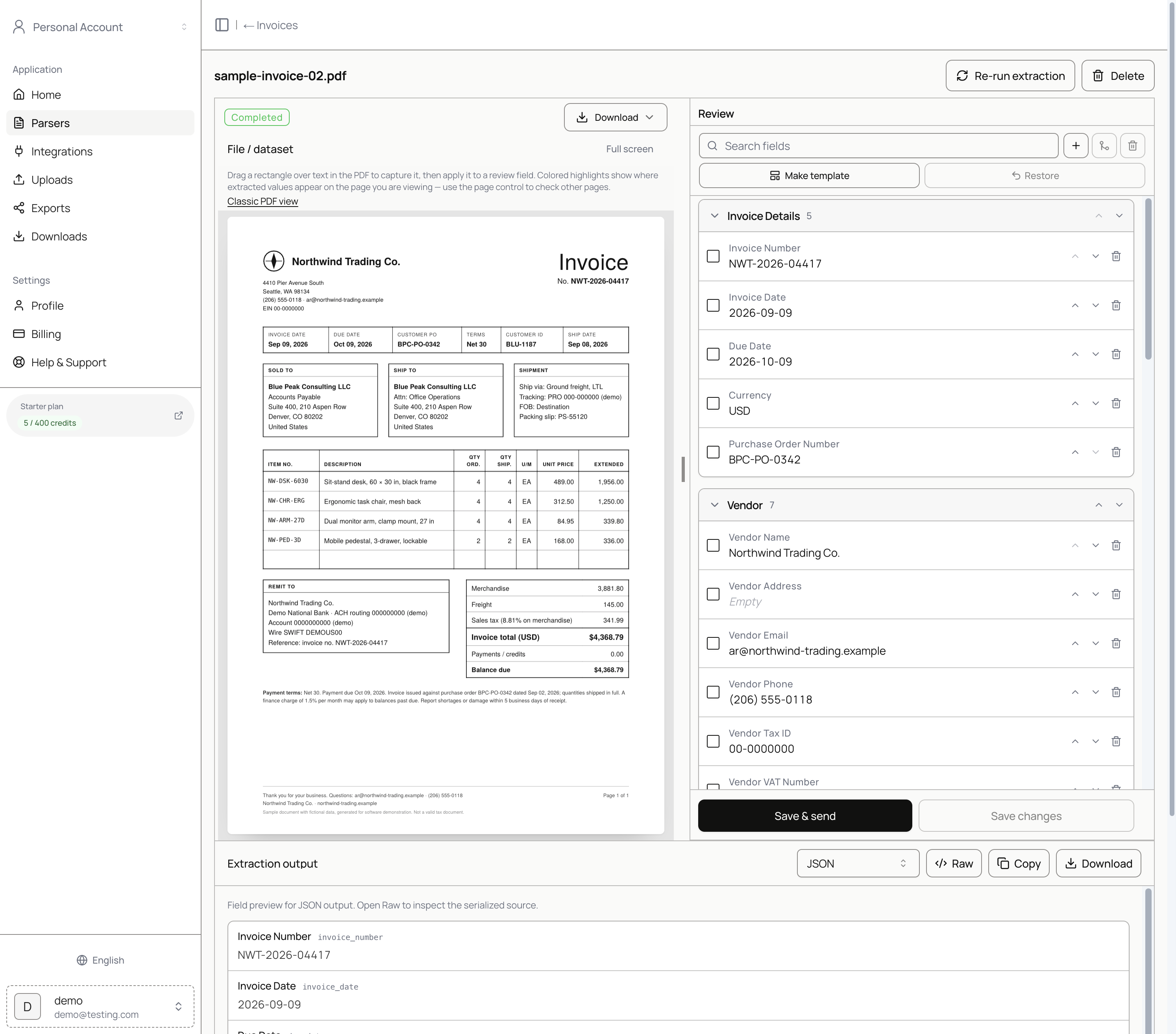
Open a document for review
- Open a parser and scroll to Document history.
- Find a row with status Ready to review (or open a document that already shows Completed).
- Click Preview.
You land on the document workspace: PDF on the left, Review fields on the right, and Extraction output (JSON or other formats) below.
PDF text selection
Above the PDF, Parsedit explains: drag a rectangle over text in the PDF to capture it, then apply it to a review field. Colored highlights show where extracted values appear on the page you are viewing—use the page control to check other pages.
Use text selection when a field is empty or wrong:
- Drag a rectangle over the correct text on the PDF.
- Apply the capture to the target field in the Review panel.
- Confirm the value updates in the field list and in Extraction output.
Edit fields in place
- Expand sections such as Invoice Details, Vendor, Customer, Summary, and Line Items.
- Click a field value to edit it. Corrections are what get delivered.
- Open line-item tables with Open table when you need to add or adjust rows.
- Use Add, Merge, and remove controls to reshape fields for this document.
- Make this my template promotes the current field layout for future uploads (optional).
Save & send
- Click Save & send.
- Choose destinations that are connected for this parser (for example Google Sheets). Destinations that are not connected at the workspace appear as Disabled.
- Confirm Save & send. Parsedit saves your review changes first, then delivers to the destinations you selected.
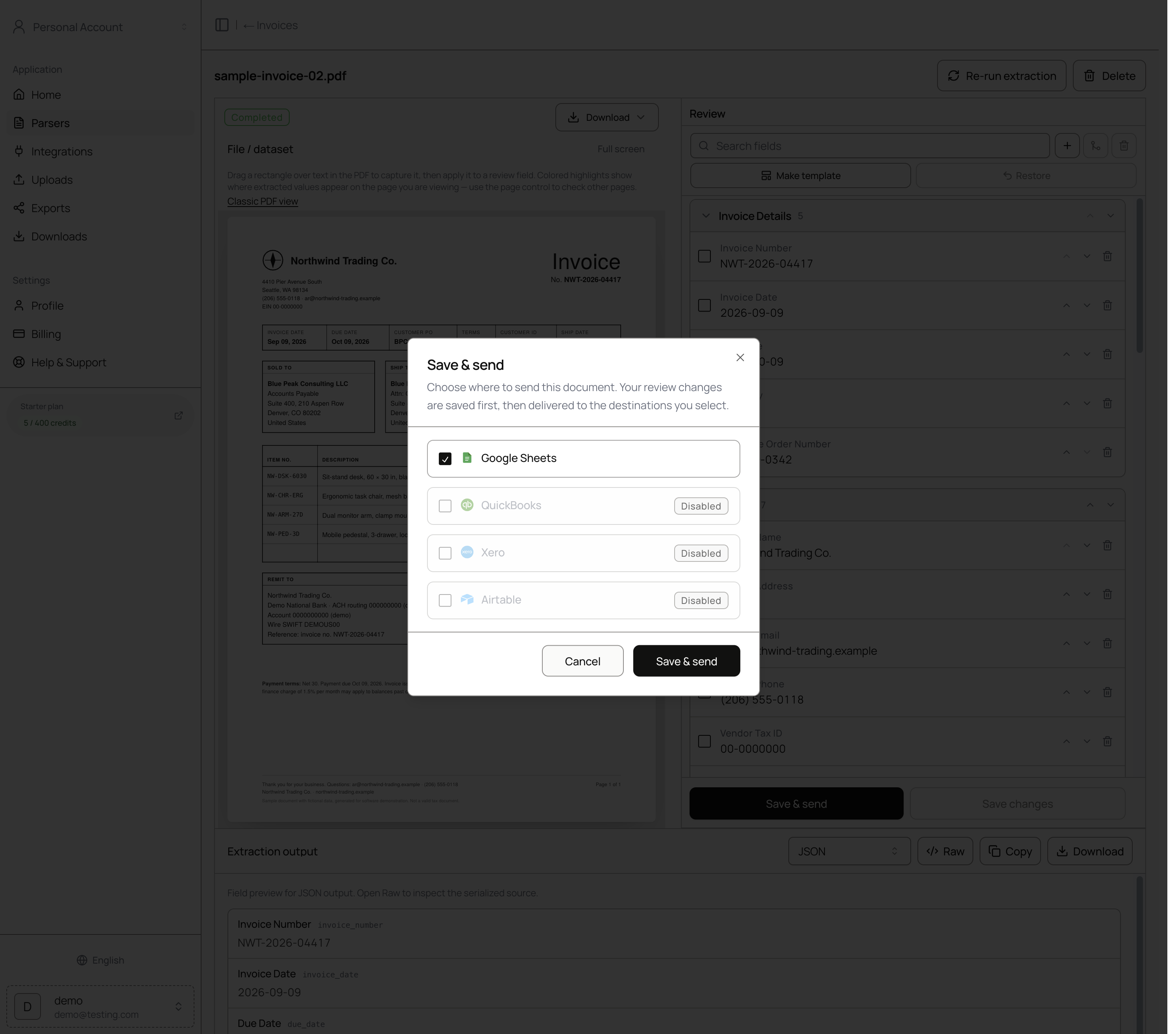
Use Save changes when you want to keep edits without delivering yet.
| Action | What happens |
|---|---|
| Save & send | Saves review edits and delivers to selected destinations. |
| Save changes | Saves edits only. Nothing is sent. |
| Delete | Removes the document from the parser. |
Nothing reaches a destination without an explicit send (or auto-send). See Automation.
Bulk send from document history
On the parser page, select multiple documents with the checkboxes, then use Send in the bulk actions bar (or Send on each row). Choose destinations the same way as in review.
For multipage files and packets, a How to send control lets you choose Main document only, Each document separately, or Everything together. See Document packets.
Exports
From any document you can download extracted data as CSV or JSON (format control on the review page, or bulk CSV/JSON from document history). Export history lives under Exports; generated files under Downloads.