Automation
Auto-send after extraction, duplicate detection, and hands-off pipelines.
Manual review is the default. Once you trust a parser, turn on auto-send so rows land in your destinations without clicking Save & send every time.
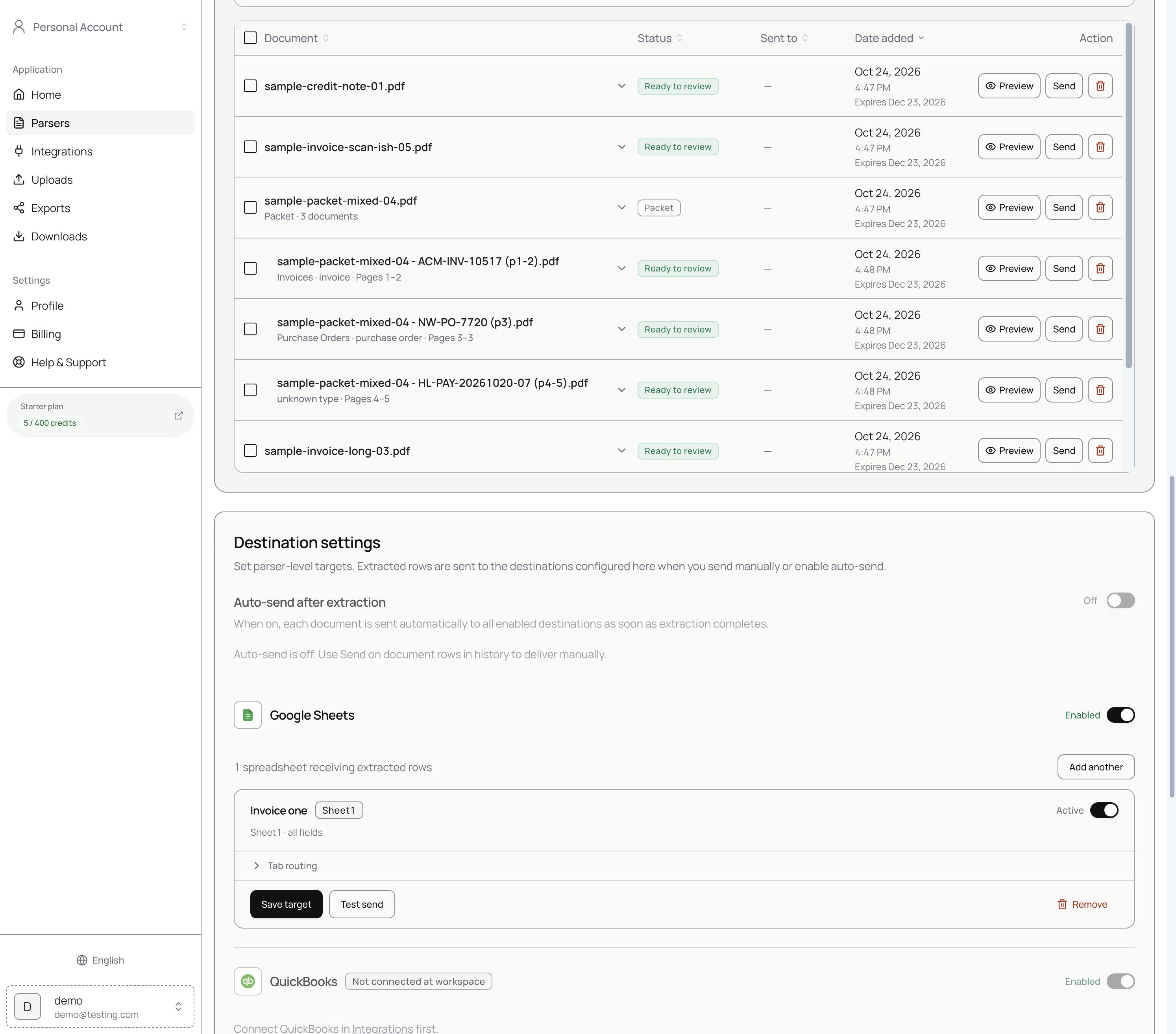
Auto-send after extraction
On each parser's Destination settings:
| Setting | Behavior |
|---|---|
| Auto-send after extraction off (default) | You send with Save & send or row Send. |
| Auto-send after extraction on | Each document is sent to all enabled destinations as soon as extraction completes. |
Enable destinations (Google Sheets, Zapier, and so on) before relying on auto-send. Destinations that are not connected at the workspace stay disabled.
There is no confidence-based auto-approval. Confidence and review edits guide humans when auto-send is off.
Duplicate detection
Parsedit hashes every incoming file. If a file with the same content hash already exists on the same parser:
- No new document is created.
- No pages are deducted from your quota.
- Destinations do not receive a second row.
This makes automated intake safe. An email forwarded twice or a Zapier retry cannot double-write your spreadsheet.
Automated intake
Combine automatic intake with auto-send for an end-to-end pipeline:
- Documents arrive via email forwarding, Google Drive, Zapier, webhook, or the API.
- Extraction runs automatically, including OCR for scans.
- With auto-send on, results land in destinations immediately. With auto-send off, documents wait in Document history as Ready to review.
Multipage and packets
When auto-sending packets or multipage files, confirm your preferred send mode (Main document only, Each document separately, or Everything together) on manual sends first. See Document packets.