Document packets
How Parsedit splits mixed PDFs into child documents and how multipage send modes work.
Some uploads are a single logical document across many pages. Others are a packet: one file that contains several document types (for example an invoice, a purchase order, and a payment advice). Parsedit splits those packets into child documents you can review and send independently.
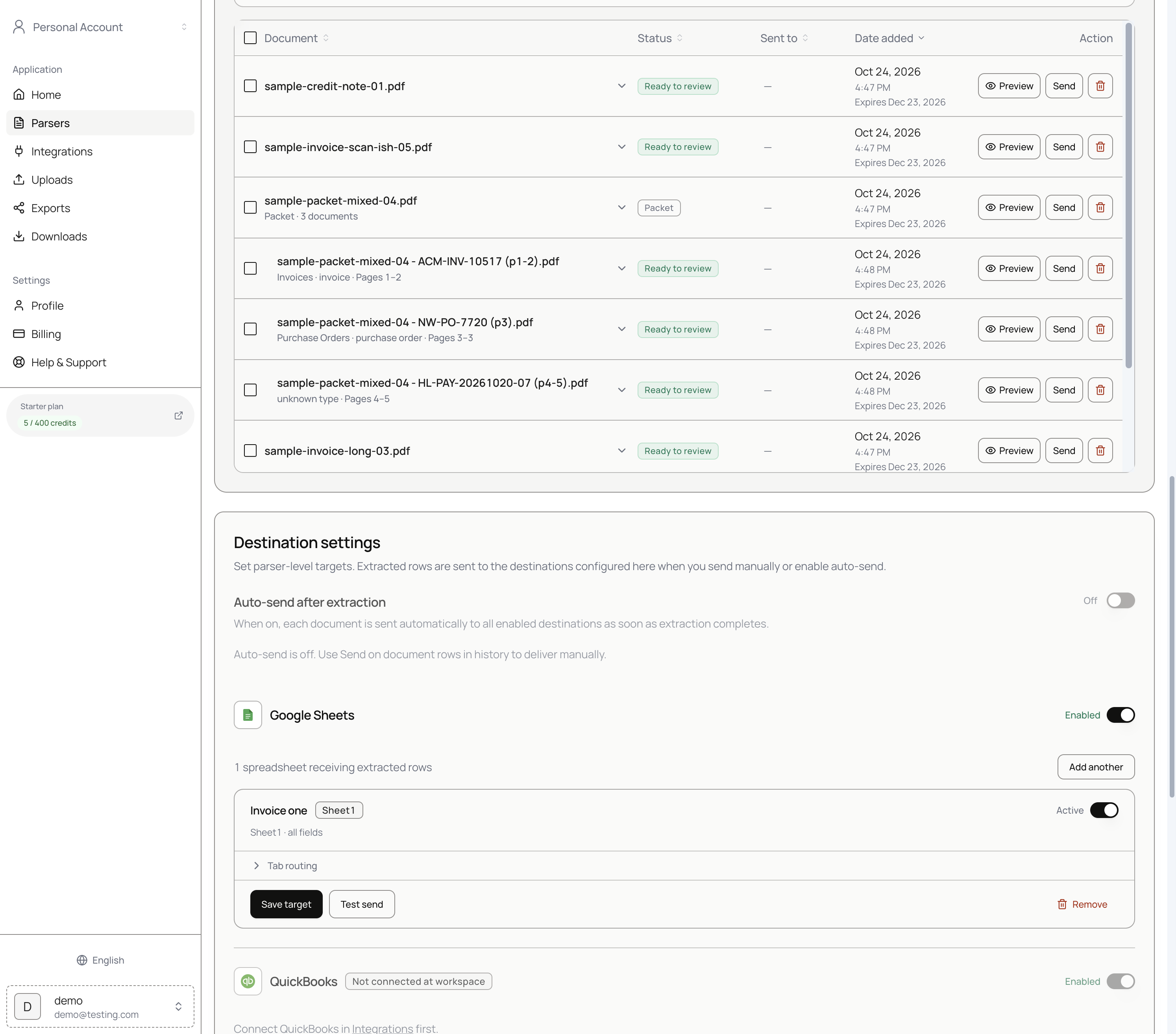
What you see in document history
After a mixed PDF finishes processing:
- The parent row is labeled Packet (for example
Packet · 3 documents). - Child rows appear underneath with page ranges and suggested types, such as
Invoices · invoice · Pages 1–2orPurchase Orders · purchase order · Pages 3–3. - Each child can be opened with Preview, sent on its own, or left for later.
Standalone multipage invoices (one document type across many pages) stay as a single row but still expose multipage send options when you send.
Review a packet child
Open a child document to review only that segment. The header notes that it is part of the parent file (for example Part of sample-packet-mixed-04.pdf · 1–2).
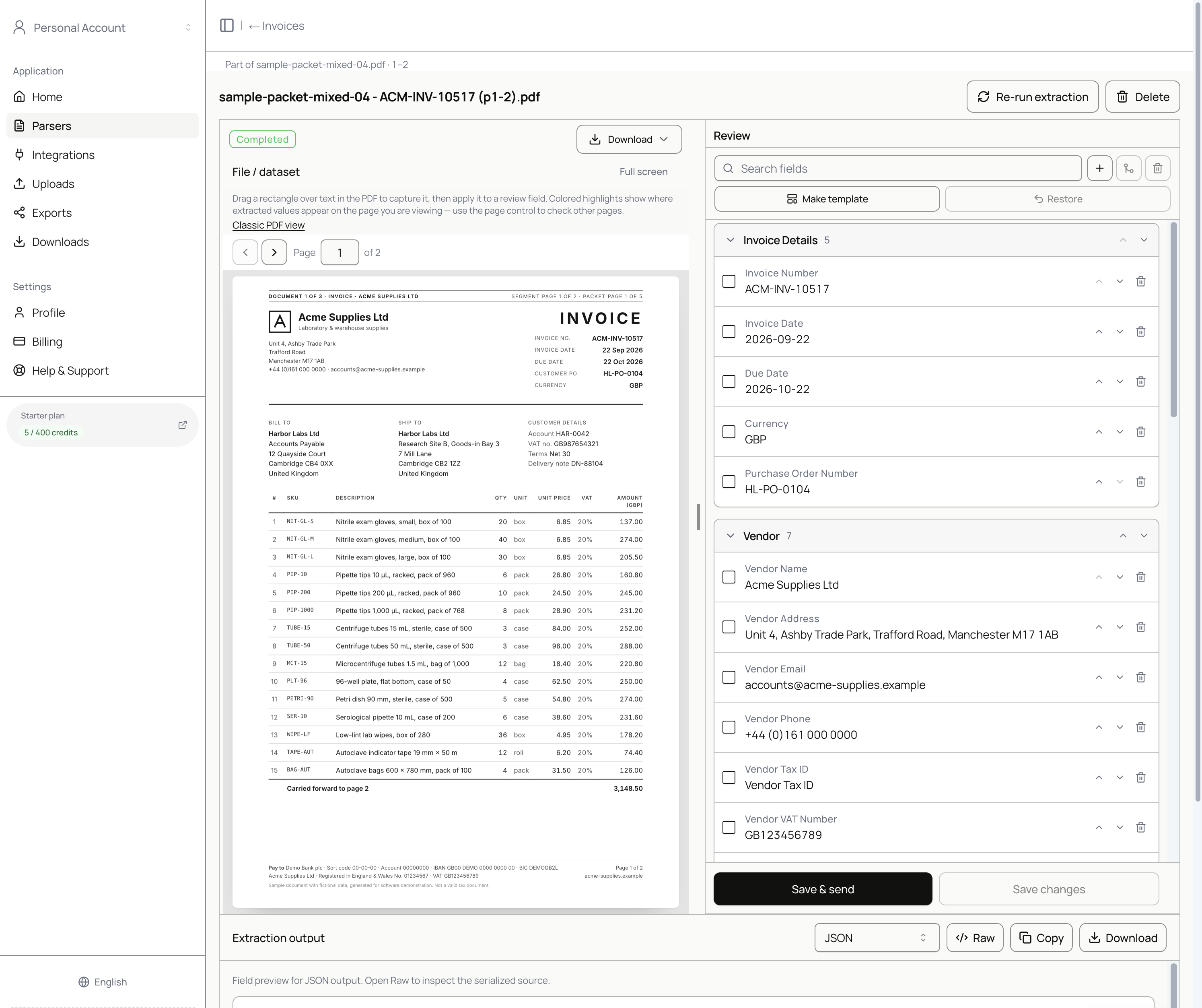
Field templates still apply. Use PDF text selection and Save & send the same way as for standalone documents. See Review and approval.
Multipage send modes
When you send a packet parent or a multipage file, choose How to send:
| Mode | Label in the UI | Behavior |
|---|---|---|
| Primary | Main document only | Sends the main / parent extract. |
| Per document | Each document separately | Sends each logical document (each child) as its own delivery. |
| Envelope | Everything together | Sends the full file extract as one payload. |
Pick the mode that matches how your destination expects rows (one sheet row per invoice vs one row for the whole packet).
Tips
- Create separate parsers when children should use different schemas long term (Invoices vs Purchase Orders). Packet children can still land under the parser that received the upload.
- Leave Auto-send after extraction off until you trust splitting and field quality.
- Re-upload a slightly different file if duplicate detection skips an identical PDF.