Document intake
Google Drive import, email forwarding, and Zapier.
Beyond manual upload, Parsedit offers automated ways to get documents into a parser. All intake channels share the same format and size limits and the same duplicate protection: a file the parser has already seen is skipped without consuming quota.
On every parser, the Intake section has tabs for Upload, Email, Google Drive, and Zapier. Workspace OAuth and email forwarding status also appear on Integrations.
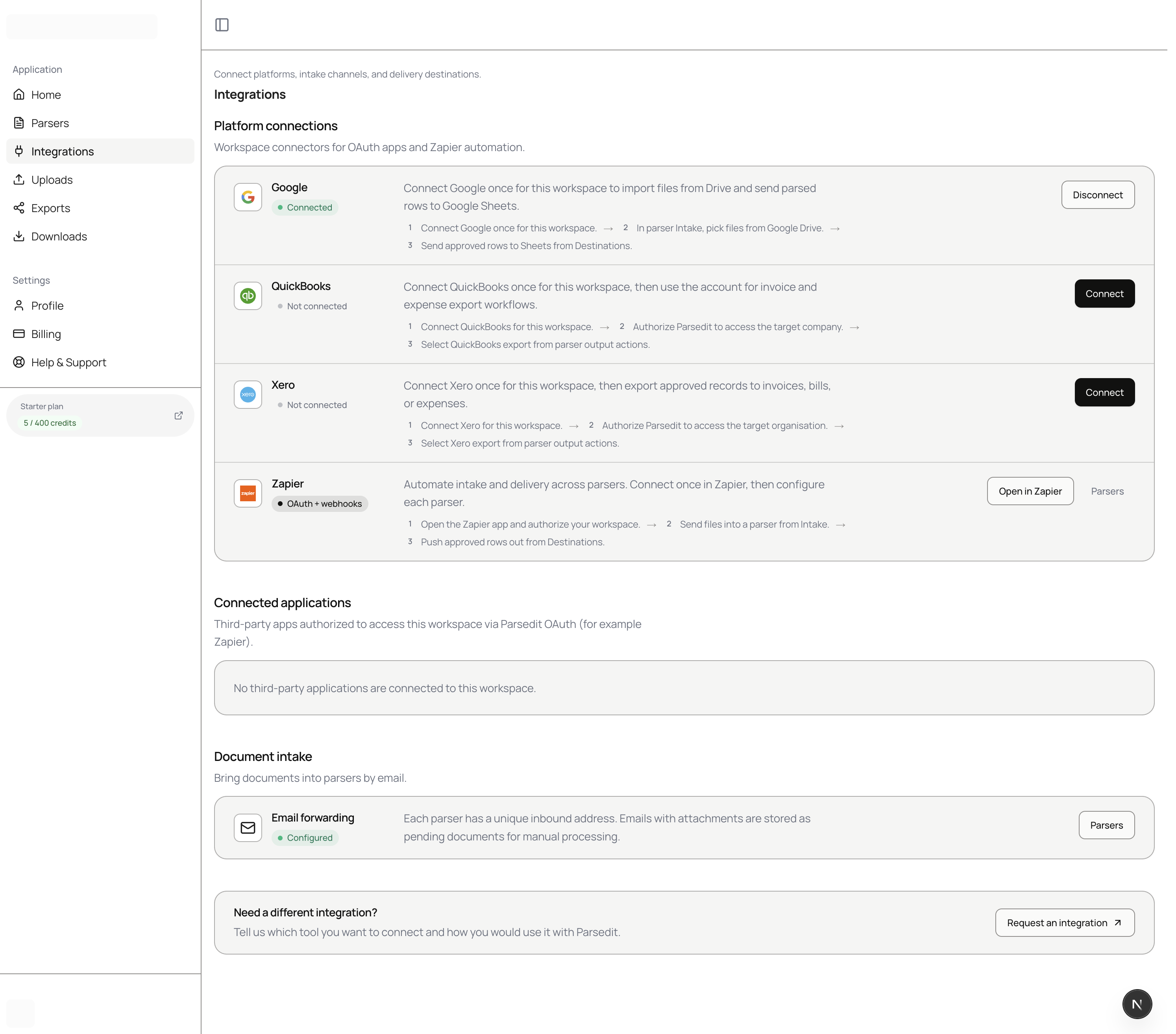
Google Drive
Import files from Google Drive using the Google Picker:
- Open a parser and choose the Google Drive intake tab.
- Sign in with Google if you have not connected yet. Parsedit uses the
drive.filescope only, so it can access exactly the files you pick and nothing else in your Drive. - Select up to 25 files. They are imported and processed like regular uploads.
Email forwarding
Every parser can receive documents by email:
- Open the parser's email intake settings to find its dedicated inbound address, in the form
parser-<id>@your Parsedit intake domain. - Forward emails with attachments to that address, or set up an automatic forwarding rule in your mail client.
- Attachments arrive as pending documents in the parser, ready for processing.
Because each parser has its own address, you can route invoices to one parser and receipts to another with simple mail rules.
Zapier
The Parsedit Zapier app works in both directions:
- Into Parsedit: map the File object (file icon — not Headers or other metadata) from email, Google Drive, or any of 6,000+ apps into Upload Document. See Zapier for “Where is File in Gmail?” and Drive / Docs tips.
- Out of Parsedit: trigger Zaps from parsed documents and map extracted fields in later steps.
Connect Zapier by authorizing it against your Parsedit account inside the Zap editor. You can revoke access anytime under Integrations → Connected applications.
REST API
For full programmatic control, create documents via multipart upload, base64, or a URL with the REST API.